

July 12, 2026 · App Guide · Kem App · How-To
How to Add Money and Convert Crypto in the Kem App
A walkthrough of funding your wallet and converting between assets, straight from the app's home screen.
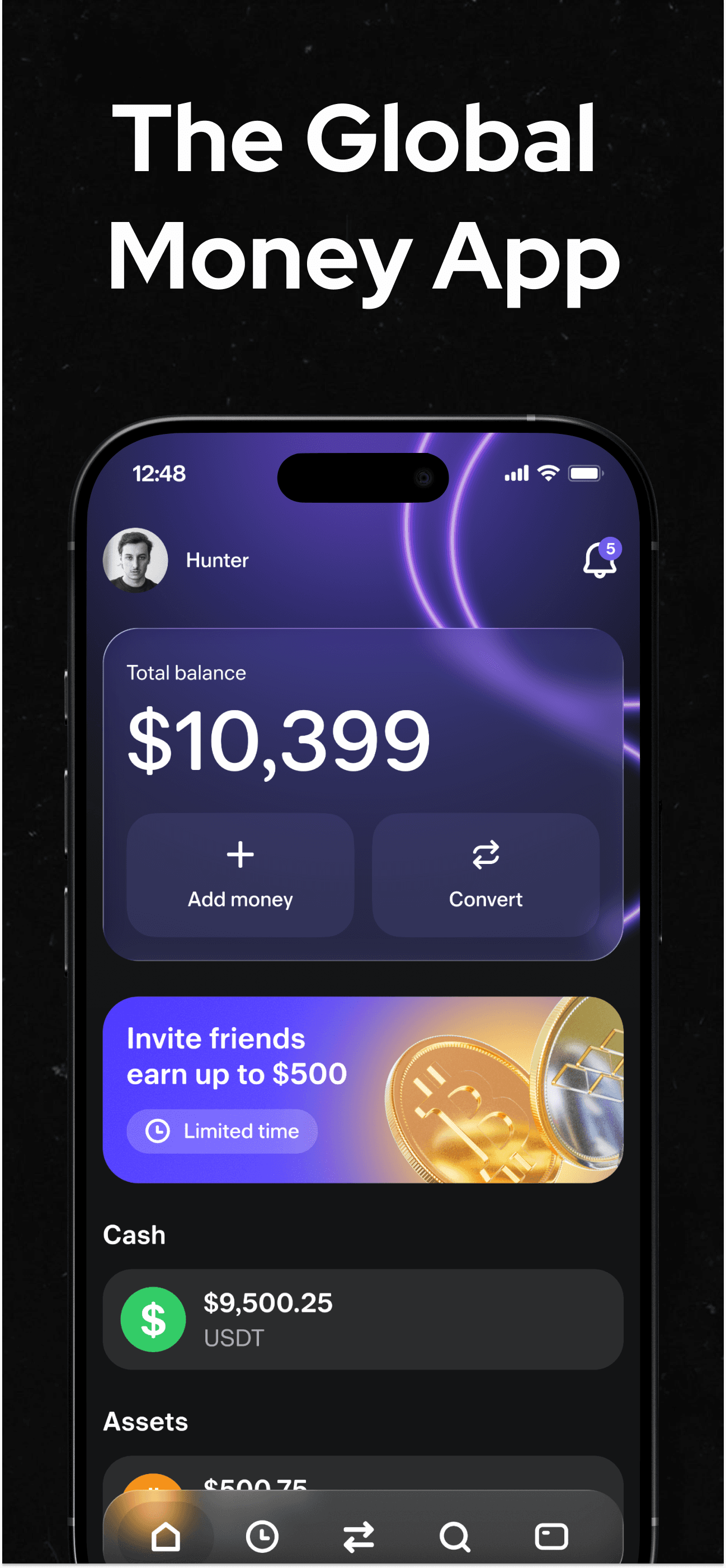
The Kem home screen is built around two actions: adding money and converting between assets. Both sit right under your total balance, so you can move funds in and reallocate them without digging through menus.
Adding Money to Your Wallet
- Tap Add money from the home screen.
- Choose a supported funding method, such as transferring in a supported stablecoin or crypto asset.
- Once received, your funds appear under your total balance, broken out by asset.
Converting Between Assets
- Tap Convert from the home screen.
- Select the asset you want to convert from, such as USDT, USDC, Bitcoin, or Tether Gold, and the asset or spendable balance you want to convert to.
- Confirm the conversion. Once complete, your updated balance is reflected immediately.
Why This Matters for Everyday Spending
Many users hold savings in one asset, like Bitcoin or Tether Gold, but want to spend in stablecoins day to day. Being able to convert directly in the app, without moving funds to a separate exchange first, means less friction between holding value and actually spending it on your Kem card.

Keeping Track of Your Balance
The home screen shows your total balance at a glance, along with a breakdown by asset, such as your cash balance in USDT alongside any other holdings. This makes it easy to see exactly what you have available to spend versus what you are holding longer term.
Frequently Asked Questions
Which assets can I add to my Kem wallet? A: Kem supports major stablecoins like USDT and USDC, along with Bitcoin and Tether Gold.
Can I convert between assets whenever I want? A: Yes. The Convert feature lets you move value between supported assets directly from the app's home screen.
Do I need to use a separate exchange to convert my crypto? A: No. Adding money and converting between supported assets both happen directly inside the Kem app.
Is there a minimum amount required to add money or convert? A: Requirements can vary by asset and funding method; check the current details in-app before transferring.